Software I build
Tools I use every day myself — backup, terminals, IRC, fans, VPN and system monitoring. Most are open source, and three can be downloaded right away.
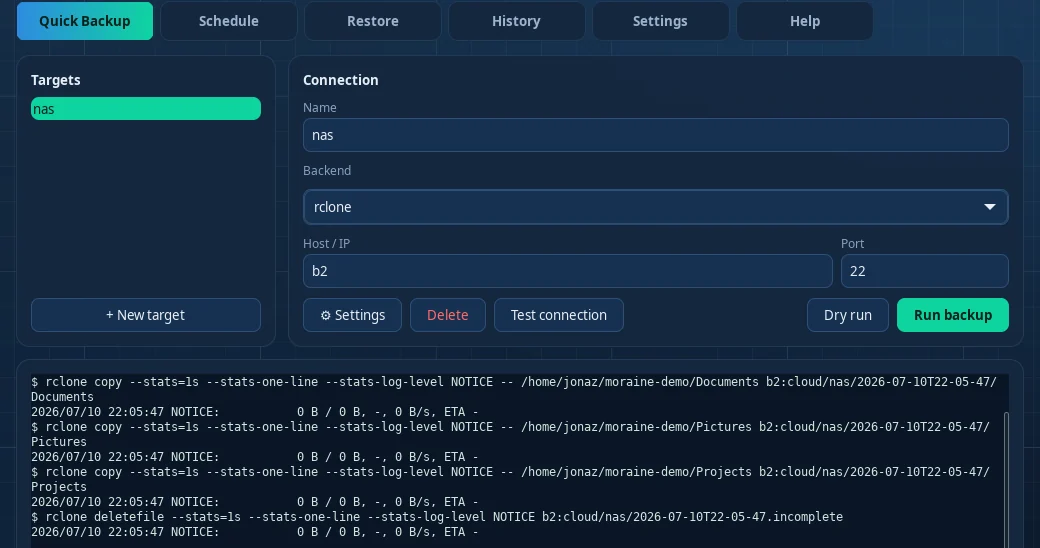
Moraine Backup
Snapshot backup over SSH/rsync and rclone — as a command line tool and a desktop app.
Every run becomes its own timestamped snapshot in which unchanged files share storage through hard links. You get the full history at almost no extra disk cost, and can restore everything or single files.
- A NAS over SSH, or cloud, FTP, SMB, S3 and Drive through rclone
- Scheduling and automatic pruning (GFS)
- Live progress, run history and a VPN per target
Linux · macOS · Windows
TabDesk
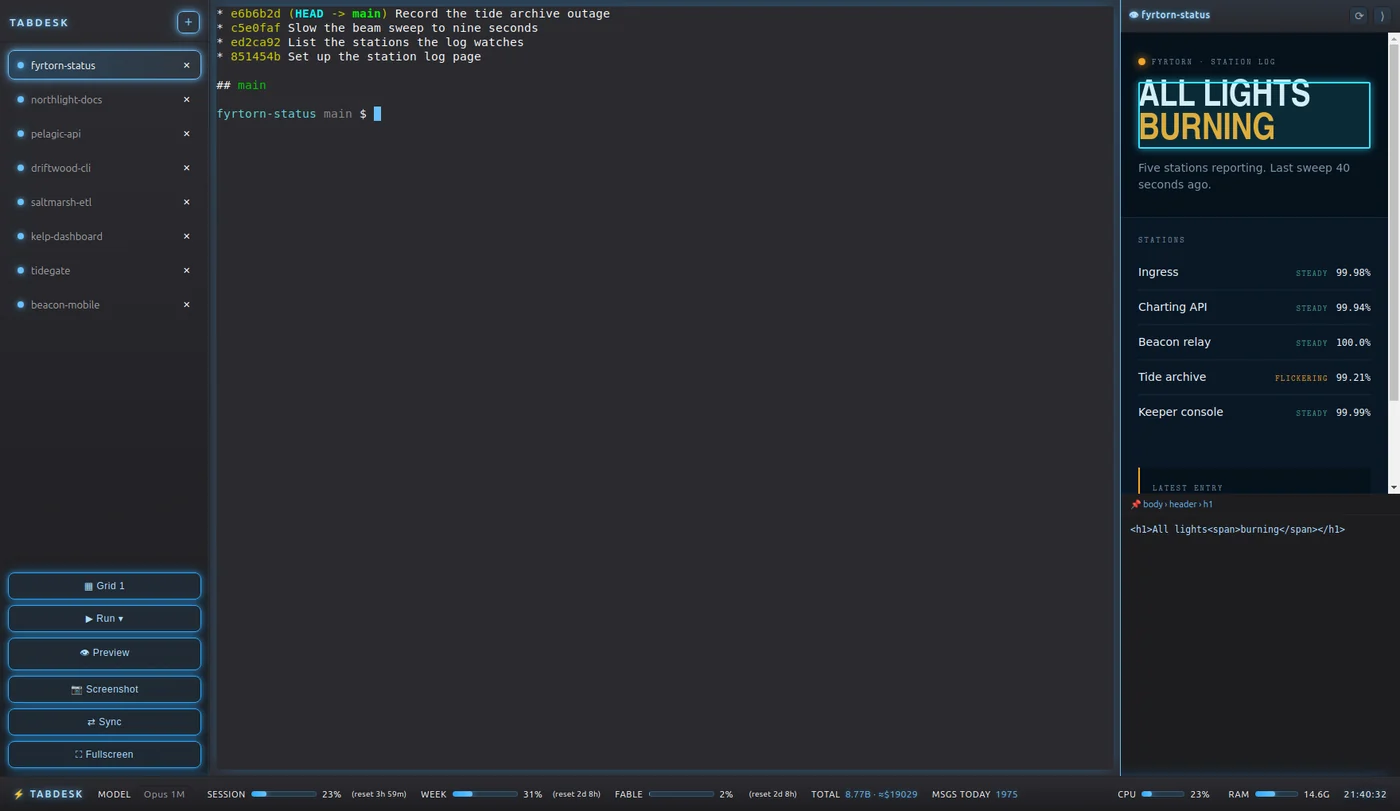
A desktop app for running AI coding agents across all your projects at once.
Every project folder becomes a tab with its own terminal. Start Claude Code, Codex, Gemini CLI, Aider or a plain shell, watch several agents side by side, and see the project live in the preview.
- A tab rail with one terminal per project
- A grid of up to six panels
- Activity flags that show who is waiting for you
Linux · Windows · macOS
MiracleIRC
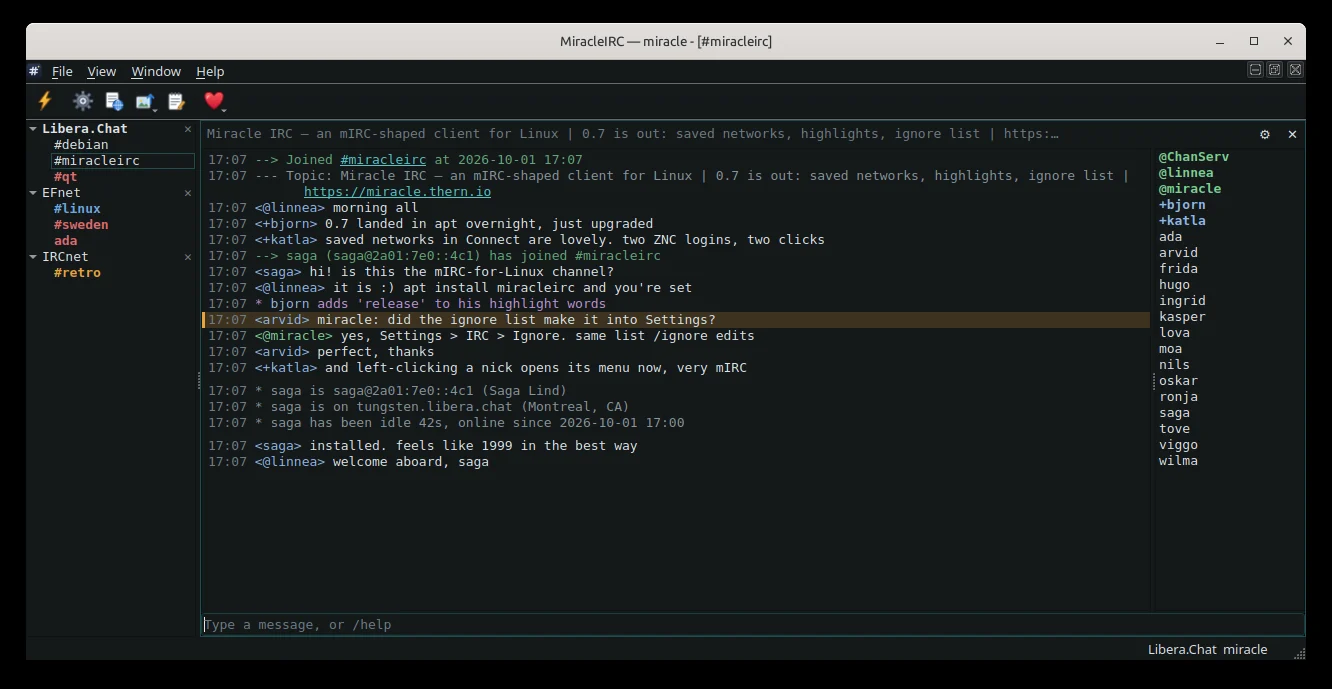
The feel of mIRC, as a real Linux app.
An IRC client in Qt 6 and C++20, built from scratch from the protocol specifications — nothing is copied from mIRC. Windows within a window, the mIRC colour palette and the keyboard shortcuts sit where your hands expect them.
- Several networks and channels in a window tree
- The full mIRC colour palette and formatting
- Nick list, tab completion and history
Linux
System Control Panel
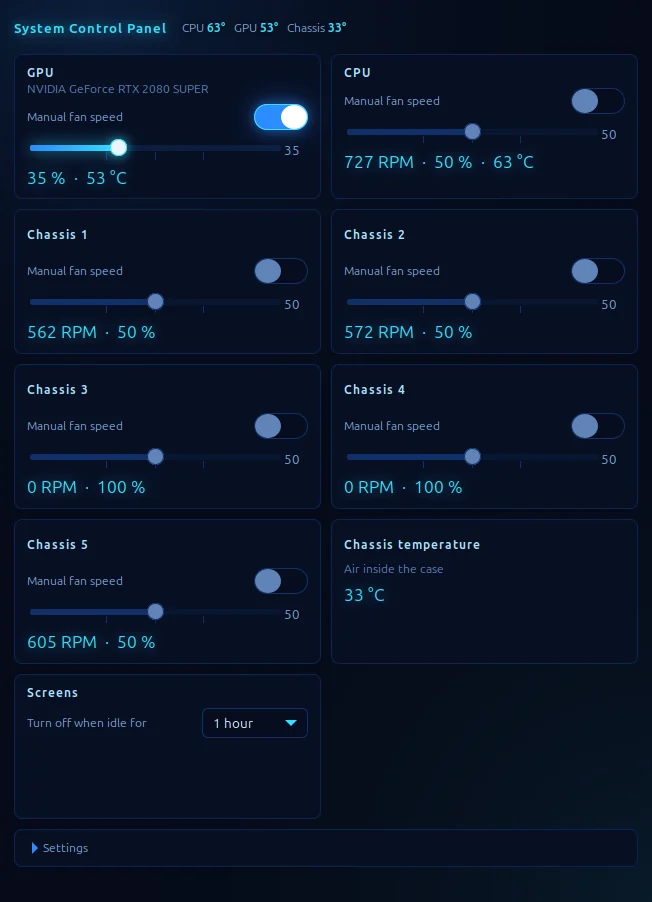
A small floating panel that controls your computer's fans and screen sleep.
Take manual control of GPU, CPU and chassis fans with one slider each, and watch speed and temperature live. No more keeping NVIDIA Settings, a BIOS fan curve and the desktop's power settings open at once.
- NVIDIA GPU and motherboard fans
- Screen sleep from one minute to never
- An optional thermal limit that hands control back
Linux
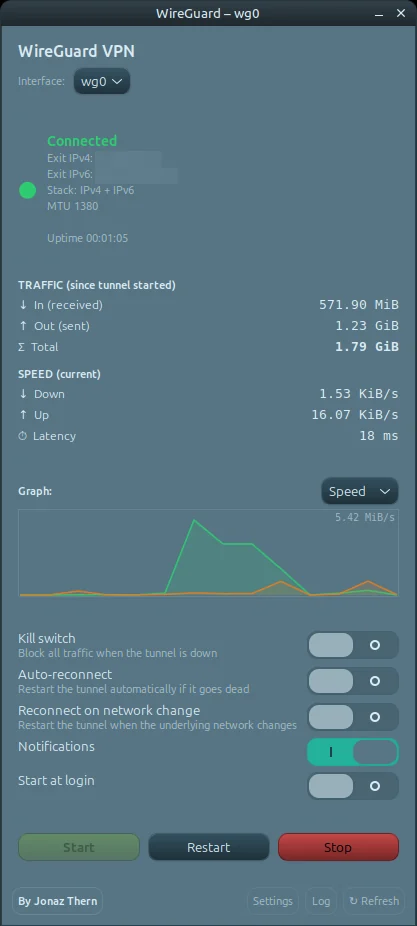
WgPilot
A minimal desktop client for WireGuard.
Start, restart and stop the tunnel from a small window, with live status, traffic, speed and latency graphs, and the public IP for both IPv4 and IPv6. No background service and no stored credentials.
- A kill switch that blocks traffic outside the tunnel
- A watchdog that reconnects a dead tunnel
- A single Python script through pkexec
Linux
FlowState
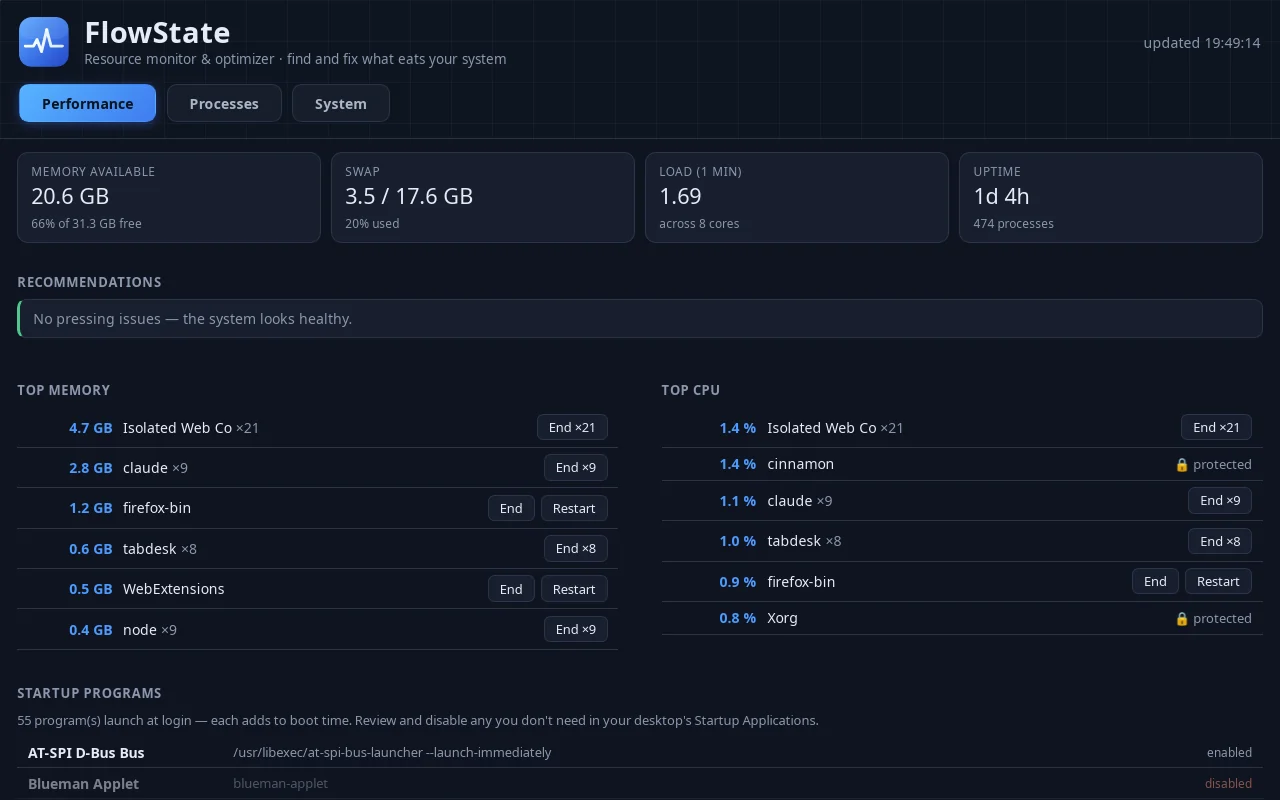
Find what is eating your computer's resources — and fix it.
FlowState shows what is taking CPU, memory, disk and network, grouped per app rather than per process. It flags memory leaks and processes that never let go of the CPU, and lets you end them right from the list.
- Per-app grouping with history
- Warnings for leaks and sustained high load
- A system view with SMART, updates and services
Linux · Windows · macOS
Need something of your own?
The same experience goes into what I build for clients — from a website to an internal tool.
Get in touch →